
| 일 | 월 | 화 | 수 | 목 | 금 | 토 |
|---|---|---|---|---|---|---|
| 1 | 2 | |||||
| 3 | 4 | 5 | 6 | 7 | 8 | 9 |
| 10 | 11 | 12 | 13 | 14 | 15 | 16 |
| 17 | 18 | 19 | 20 | 21 | 22 | 23 |
| 24 | 25 | 26 | 27 | 28 | 29 | 30 |
| 31 |
- 덴드로그램
- data
- count()
- 최솟값
- nan
- dendrogram
- list
- DataFrame
- IN
- Python
- function
- del
- insert()
- elbow method
- analizer
- Dictionary
- DataAccess
- append()
- hierarchical_clustering
- 분류 결과표
- len()
- numpy
- sklearn
- 최댓값
- 반복문
- pandas
- wcss
- string
- Machine Learning
- matplotlib
- Today
- Total
개발공부
[Python] 구글 맵(google maps) API - Geocoding API 설정하는 방법 본문
1. 구글 클라우드의 MAPS API 페이지로 이동한다.
https://cloud.google.com/maps-platform/?hl=ko
Google Maps Platform - Location and Mapping Solutions
Create real world and real time experiences for your customers with dynamic maps, routes & places APIs from Google Maps Platform’s location solutions.
mapsplatform.google.com
2. 콘솔로 이동 => Geocoding API 선택 => 사용자인증정보 에서 API 키 생성


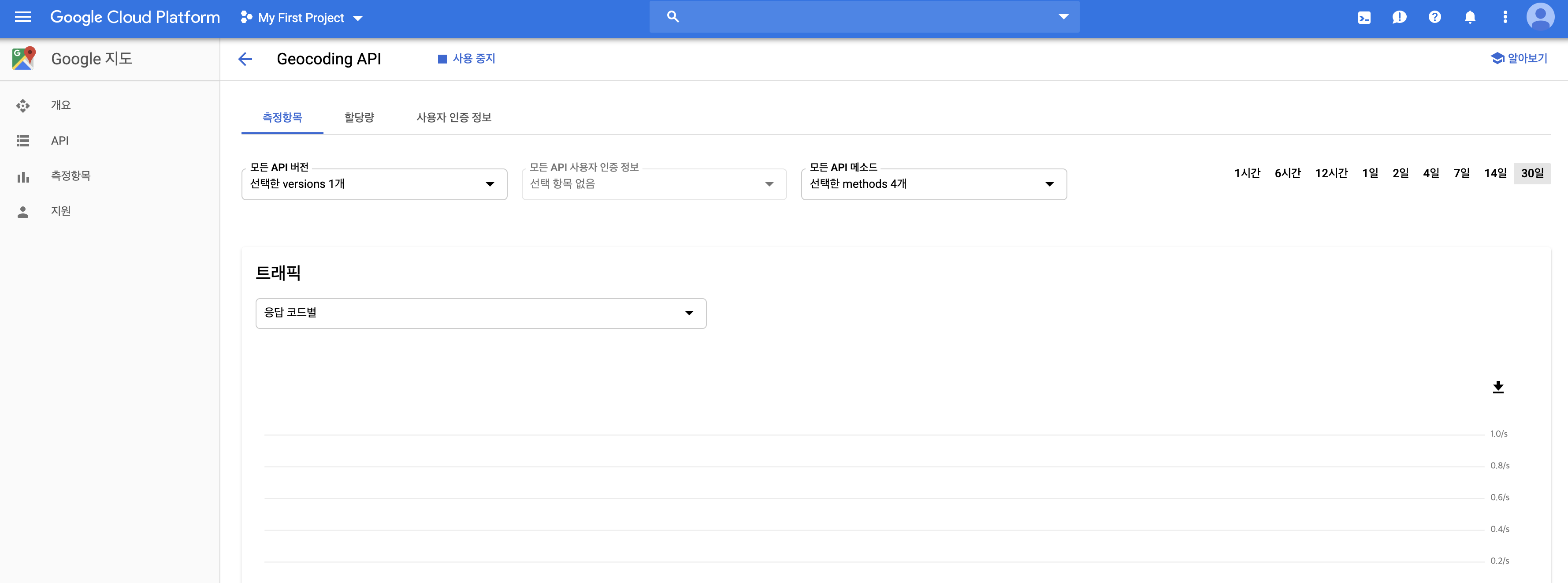
이제 받은 API KEY를 가지고 원하는 장소의 위치(위도, 경도) 정보를 받아와 보자.
import googlemaps
gmaps_key = "자신이 받은 API KEY 값"
gmaps = googlemaps.Client(key=gmaps_key)
gmaps.geocode()
geocode() 는 원하는 장소의 정보를 찾을 때 쓸 수 있다.
서울중부경찰서에 대한 위치 정보를 받아와 보겠다.
# API 호출 (API CALL)
gmaps.geocode('서울중부경찰서', language='ko')
[{'address_components': [{'long_name': '27',
'short_name': '27',
'types': ['premise']},
{'long_name': '수표로',
'short_name': '수표로',
'types': ['political', 'sublocality', 'sublocality_level_4']},
{'long_name': '중구',
'short_name': '중구',
'types': ['political', 'sublocality', 'sublocality_level_1']},
{'long_name': '서울특별시',
'short_name': '서울특별시',
'types': ['administrative_area_level_1', 'political']},
{'long_name': '대한민국',
'short_name': 'KR',
'types': ['country', 'political']},
{'long_name': '100-032',
'short_name': '100-032',
'types': ['postal_code']}],
'formatted_address': '대한민국 서울특별시 중구 수표로 27',
'geometry': {'location': {'lat': 37.56361709999999, 'lng': 126.9896517},
'location_type': 'ROOFTOP',
'viewport': {'northeast': {'lat': 37.5649660802915,
'lng': 126.9910006802915},
'southwest': {'lat': 37.5622681197085, 'lng': 126.9883027197085}}},
'partial_match': True,
'place_id': 'ChIJc-9q5uSifDURLhQmr5wkXmc',
'plus_code': {'compound_code': 'HX7Q+CV 대한민국 서울특별시',
'global_code': '8Q98HX7Q+CV'},
'types': ['establishment', 'point_of_interest', 'police']}]그러면 위와 같이 JSON 형태의 문자들이 나온다.
이제 이곳에서 원하는 정보를 뽑아내어 사용하면 된다.
위 형태가 보기 어렵다면 아래의 페이지에 복사하여 붙이면 쉽게 이해할 수 있다.
JSON Editor Online - view, edit, format, repair, compare, query, transform, validate, and share your JSON data
jsoneditoronline.org
예를 들어 주소명을 알고 싶으면
주소는 gmaps.geocode('서울중부경찰서', language='ko')의 0번째 인덱스의 'formatted_address' 에 들어 있으므로
이를 호출하면 된다.
>>> gmaps.geocode('서울중부경찰서', language='ko')[0]['formatted_address']
'대한민국 서울특별시 중구 수표로 27'
'Python > Basic' 카테고리의 다른 글
| 파이썬 환경에서 MySQL 연결하는 법, 예제 (0) | 2022.06.17 |
|---|---|
| 파이썬으로 압축파일 푸는 방법 (0) | 2022.06.15 |
| [Python] relativedelta를 이용해 날짜 연산하기 (0) | 2022.04.27 |
| [Python] parse, 문자열 날짜를 datetime으로 변경 (0) | 2022.04.27 |
| [Python] time 모듈을 이용한 UTC시간, Local 시간 (0) | 2022.04.27 |


